
EcoFlow
RIVER 3 Plus
286Wh · 600W AC
A compact starting point for phones, camp lighting and shorter laptop sessions.
View product & details ↗HOME OFFICE
A laptop, a desktop and a whole desk setup are three different power decisions.
8 MODELS TO EXPLORE
Start small for a laptop, or compare larger batteries for a full desk. UPS compatibility still needs a device-specific check.
EcoFlow
286Wh · 600W AC
A compact starting point for phones, camp lighting and shorter laptop sessions.
View product & details ↗
BLUETTI
288Wh · 600W AC
A small station for a USB-C laptop, lights and low-energy outdoor devices.
View product & details ↗
ALLPOWERS
299Wh · 600W AC
A compact 299Wh option for light camp equipment or a modest laptop-and-router plan.
View product & details ↗
EcoFlow
1,024Wh · 1,800W AC
A mid-size energy reserve for a desk setup or a campsite with a planned recharge.
View product & details ↗
ALLPOWERS
1,024Wh · 1,800W AC
A 1kWh alternative for car camping and moderate desk loads within its rated output.
View product & details ↗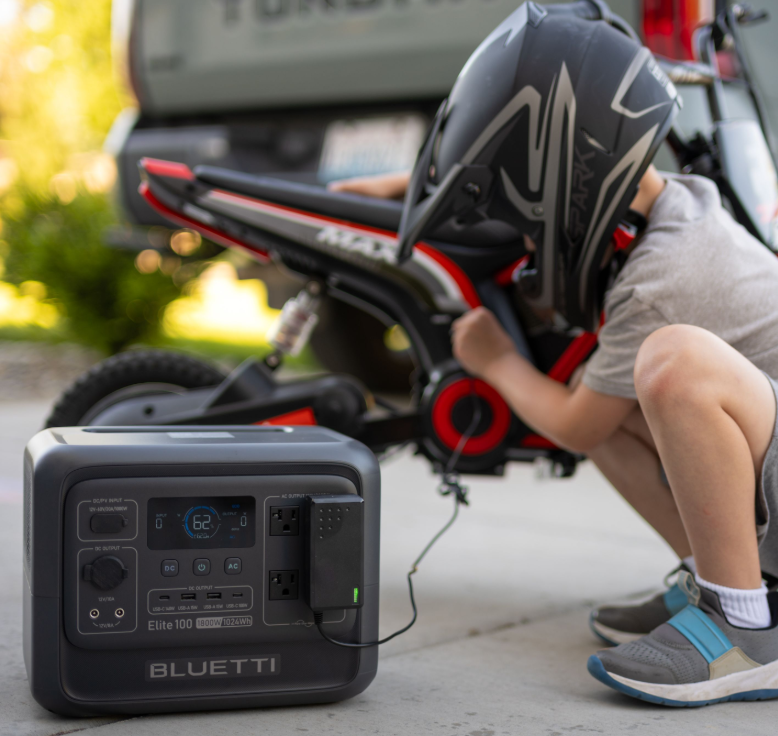
BLUETTI
1,024Wh · 1,800W AC
A straightforward comparison with the DELTA 3 Plus when you want a 1kWh, 1,800W station.
View product & details ↗
EcoFlow
2,048Wh · 2,400W AC
A 2kWh option for longer essential-device backup or a larger desk energy budget.
View product & details ↗
BLUETTI
2,073.6Wh · 2,600W AC
A roughly 2kWh candidate for longer desk sessions or essential-device backup at home.
View product & details ↗
START WITH YOUR DAY
A laptop can often use its own battery and a compatible USB-C supply. A desktop, monitor and network equipment can need a different setup. Add the actual devices before deciding what capacity to buy.
Stored energy and continuity are separate decisions. A manufacturer’s UPS/EPS claim does not establish that every computer will stay on during the transfer. Check your specific equipment and consider a verified conventional UPS where interruption matters.
Add the laptop or desktop, monitors, router and any modem or ONT. Keeping your equipment powered does not guarantee the provider’s network will remain online.
Use the time you need each device to run, not just how long you will be away. Our first estimator shows its assumptions and will tell you if none of the shortlist is large enough.
YOUR COMPLETE BUYING GUIDES
LESS GUESSWORK. A BETTER STARTING POINT.
A few practical questions turn an intimidating spec sheet into a clearer decision.